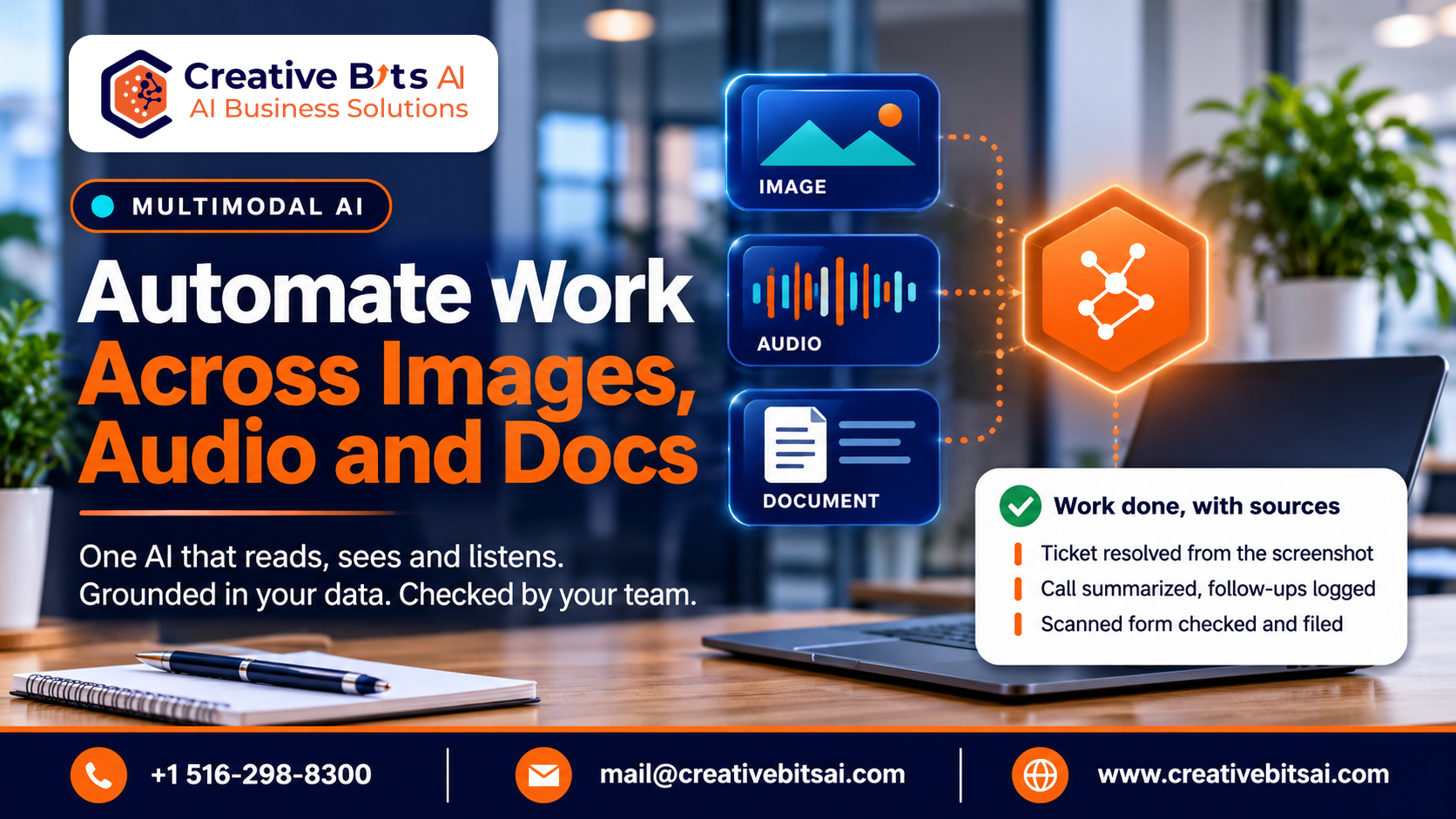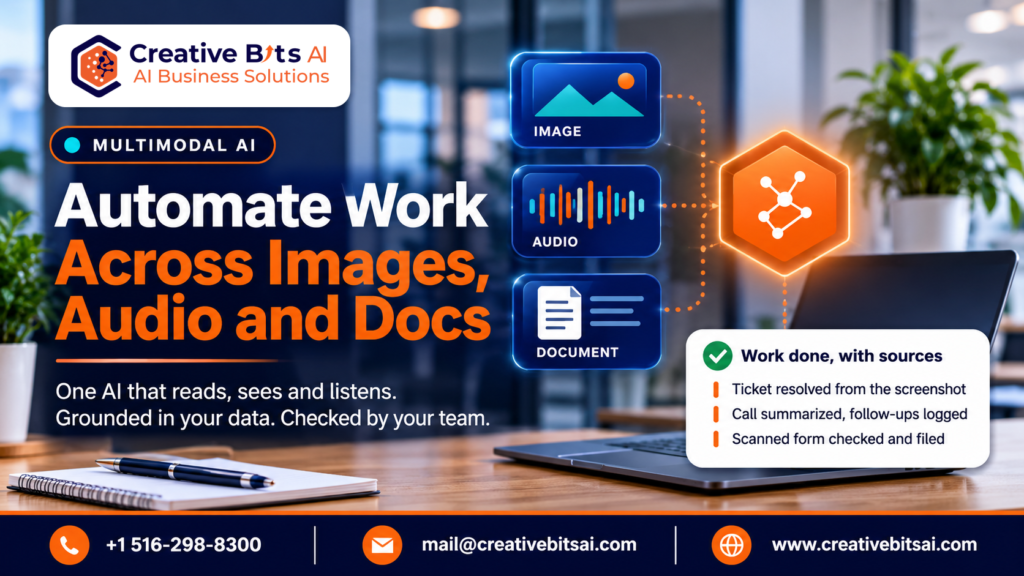
Multimodal AI is artificial intelligence that can take in and work with more than one type of information at once: text, images, audio, speech, video, and traditional numerical data. Instead of reading only words or only pictures, it combines them, which lets it understand context the way a person does when they look, listen, and read at the same time.
A simple way to see the shift is to look at chatbots. The first widely used AI assistants were single-modal: you typed text and got text back. Today the same assistants can read a photo of a broken part, listen to a voice note, scan a PDF, and answer in words, speech, or an image. That is multimodality.
This matters for business because most real work is not text-only. A support ticket arrives with a screenshot. A site inspection produces photos and notes. A sales call is audio. A claim file mixes forms, scans, and emails. Multimodal AI is the first kind of AI that can handle that mix in one pass, which is why it has moved from research labs into commercial products so quickly.
How Multimodal AI Works
A multimodal system does three things:
- It reads each input in its own form. Separate components turn text, pixels, and sound waves into a numerical form the model can work with.
- It connects them. The model learns how the inputs relate, so the word “crack” in an inspection note lines up with the crack visible in the photo.
- It reasons across all of them. The answer draws on everything at once, and it can come back as text, speech, an image, or structured data for another system.
The benefit is context. A text-only model reading “it’s making that noise again” has nothing to go on. A multimodal model that can also hear the recording does.
Why Multimodal AI Is Taking Off Now
Multimodal AI has moved from experiment to product in a short time. Gartner predicts that 40% of generative AI solutions will be multimodal by 2027, up from just 1% in 2023. Two things are driving that:
- The models are general-purpose. One model can now handle text, images, and audio, so a business no longer needs a separate system for each.
- Business data is already multimodal. Photos, recordings, scans, and documents hold most of what a company knows. Text-only AI could not reach it.
The result is that multimodal capability is becoming a standard feature of AI products, not a specialist add-on.
What Multimodal AI Changes
a. Communication and everyday interaction
People can now talk to software, show it things, and get answers in the form that suits the moment. An assistant that sees your screen, hears your question, and replies out loud removes the step of translating a problem into typed keywords. For customer-facing teams, this is the difference between a chatbot that asks you to describe the error and an AI agent that reads the screenshot and resolves it.
b. Accessibility and inclusion
Multimodal AI can describe images for people with low vision, transcribe speech in real time for people who are deaf or hard of hearing, and translate between languages as people speak. These features used to need separate tools. They now come built into general assistants, which makes accessible design cheaper for every organization.
c. Education and training
The same lesson can be delivered as text, a spoken explanation, a diagram, or a worked example, depending on what helps the learner. In workplace training, staff can photograph equipment or describe a situation and get guidance tied to the approved procedure, the idea behind AI-powered healthcare knowledge management.
d. Healthcare and well-being
Medicine is multimodal by nature: scans, lab values, clinical notes, and conversations all describe the same patient. AI that reads them together can support earlier detection and more complete assessments. It also raises the stakes for accuracy and oversight, which we cover in AI in healthcare: how safeguarded Vertical AI is reshaping care delivery.
Multimodal AI Use Cases for Business
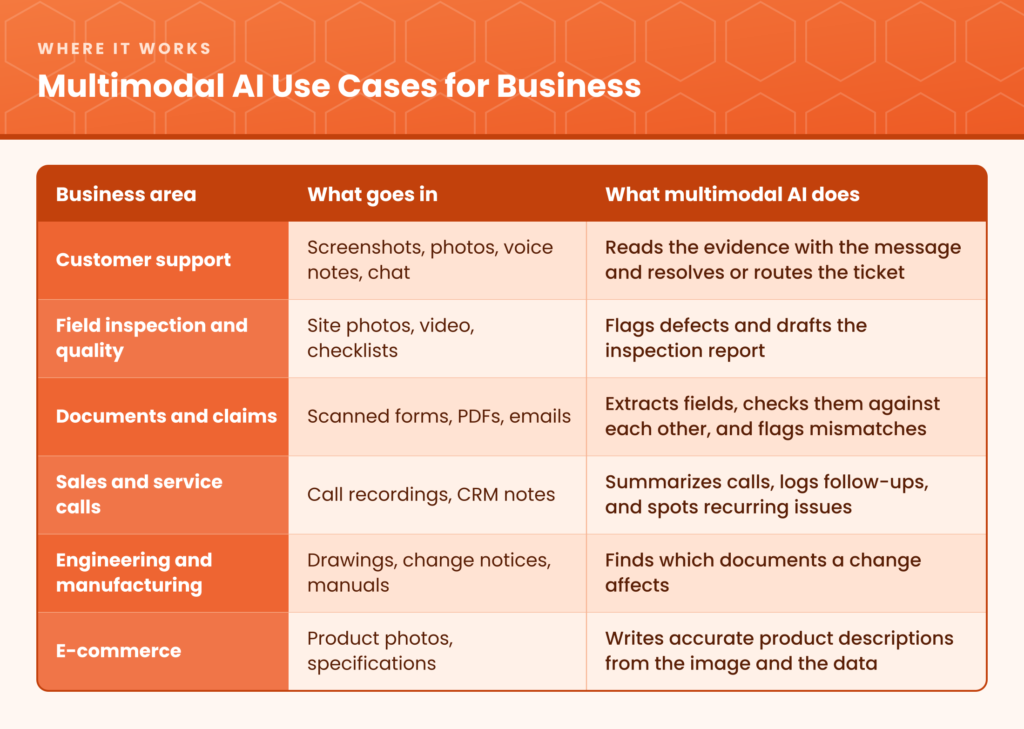
A few of these in more detail:
- Document-heavy operations. Drawings, tables, and scanned pages carry meaning that plain text extraction loses. Multimodal models can read the page as a person would, which is what makes work like tracking engineering changes across affected documents practical.
- Industry-specific workflows. The biggest gains come when a multimodal model is tuned to one domain’s documents and images. That is the case for Vertical AI built around industry workflows.
- Grounded answers. A model that can see is still a model that can be wrong. Tying its answers to your approved sources, as in safeguarded RAG chatbots, matters as much for images and audio as it does for text.
Risks and Ethical Considerations
More inputs mean more ways for things to go wrong. Four risks deserve attention before any rollout:
- Data privacy. Images, voice recordings, and video often contain personal information that nobody meant to share: a face in the background, a name on a whiteboard, a patient record on a desk. Decide what may be uploaded before staff start uploading it.
- Bias. A model trained mostly on certain accents, skin tones, or document styles performs worse on others. Test on your own real inputs, not on a vendor demo.
- Deepfakes and synthetic media. The same technology that reads images and audio can generate convincing fakes. Regulation is catching up: under Article 50 of the EU AI Act, which applies from 2 August 2026, people must be told when they are interacting with AI, AI-generated content must carry a machine-readable mark, and deepfakes must be disclosed.
- Confident mistakes. A multimodal model can misread a chart or a handwritten number and still answer fluently. High-stakes outputs need a source reference and a human check.
The practical answer is governance that starts on day one. An AI risk register that lists each system, the data it touches, its owner, and how it can fail keeps these risks visible as use grows.
What It Means for Jobs and Skills
Multimodal AI automates tasks that used to need a person’s eyes and ears: reading scans, reviewing photos, listening to calls. That changes roles more often than it removes them. The World Economic Forum’s Future of Jobs Report 2025 expects 170 million jobs to be created and 92 million displaced by 2030, a net gain of 78 million, with about 39% of workers’ current skills changing or becoming outdated in that time. It also found that 85% of employers plan to prioritize upskilling.
For most teams, the shift is from doing the task to supervising it: checking the AI’s reading of a document, handling the exceptions, and improving the process. We look at the budget side of this change in AI infrastructure spend vs. headcount.
How to Get Started With Multimodal AI
- Pick one workflow where non-text data slows you down. Good candidates are tickets with screenshots, forms that arrive as scans, or inspections recorded in photos.
- Set the rules for what goes in. Decide which images, recordings, and documents staff may use, and where that data is processed.
- Ground the answers. Connect the model to your approved documents so it answers from them and shows its source.
- Test it like software. Build a small set of real examples with known correct answers and measure accuracy before and after each change. This is the discipline we describe, from prompt engineering to AI engineering.
- Run a short pilot against a baseline. Two weeks on real work, measured against how long the task takes today, tells you more than any demo. Our guide to planning a 14-day AI pilot shows how.
- Keep a person in the loop. Route low-confidence and high-stakes cases to staff, and review a sample of the rest.
Frequently Asked Questions About Multimodal AI
What is multimodal AI in simple terms? Multimodal AI is AI that understands more than one kind of input at the same time, such as text, images, audio, and video, and combines them to give a better answer than any single input would allow.
What is the difference between multimodal AI and generative AI? Generative AI describes what a model does: it creates content. Multimodal describes what a model can take in and give back: several types of data. A model can be both, and most leading generative models now are.
What are examples of multimodal AI? An assistant that answers a question about a photo, a tool that turns a recorded meeting into written notes and action items, and a system that reads a scanned invoice and checks it against a purchase order are all multimodal AI.
How can a small business use multimodal AI? Start with one task where photos, scans, or recordings create manual work, such as processing forms, answering support tickets with screenshots, or writing up site visits. Test it on real examples and keep a person reviewing the results.
Is multimodal AI safe to use with company data? It can be, with the right setup: clear rules on what may be uploaded, a provider agreement that covers how data is stored and used, answers grounded in your approved sources, and human review for important decisions.
Will multimodal AI replace jobs? It will change many of them. The World Economic Forum expects more jobs to be created than displaced by 2030, but about 39% of workers’ skills are expected to change, so training matters.
The Takeaway
Multimodal AI lets software work with information the way your business already produces it: as pictures, recordings, scans, and documents, not only as typed text. The organizations that benefit most will be the ones that choose a specific workflow, ground the AI in their own approved sources, measure the results, and keep people in charge of the decisions that matter.
Are You Ready to Put Your Images, Audio, and Documents to Work?
Creative Bits AI helps businesses find the workflow where multimodal AI will save the most time, then build it with the safeguards to use it confidently.
👉 Book a free consultation with our team at Creative Bits AI
Internal links used
- AI Agents for Customer Support: Secure, 24/7 Resolution Without the Chatbot Queue
- Healthcare Knowledge Management: How AI Puts Approved SOPs in Every Staff Member’s Hands
- AI in Medicine: How Safeguarded Vertical AI Is Reshaping Healthcare Delivery
- How Manufacturers Track Engineering Changes to Identify Affected Documents
- Vertical AI: The New Playbook for Industry Workflows
- Safeguarded RAG Chatbots: How Businesses Can Get Useful Answers Without Losing Control
- The AI Risk Register: How Enterprises Balance Innovation and Zero Trust
- AI Infrastructure Spend vs Headcount: 4 Proven Ways to Win
- From Prompt Engineering to AI Engineering
- How to Plan a 14-Day RAG or Document Impact AI Pilot
References
- Gartner: 40% of generative AI solutions will be multimodal by 2027 (press release, September 9, 2024), as reported by FutureCIO
- World Economic Forum: Future of Jobs Report 2025, digest (January 7, 2025)
- EU Artificial Intelligence Act: transparency rules, a practical guide to Article 50