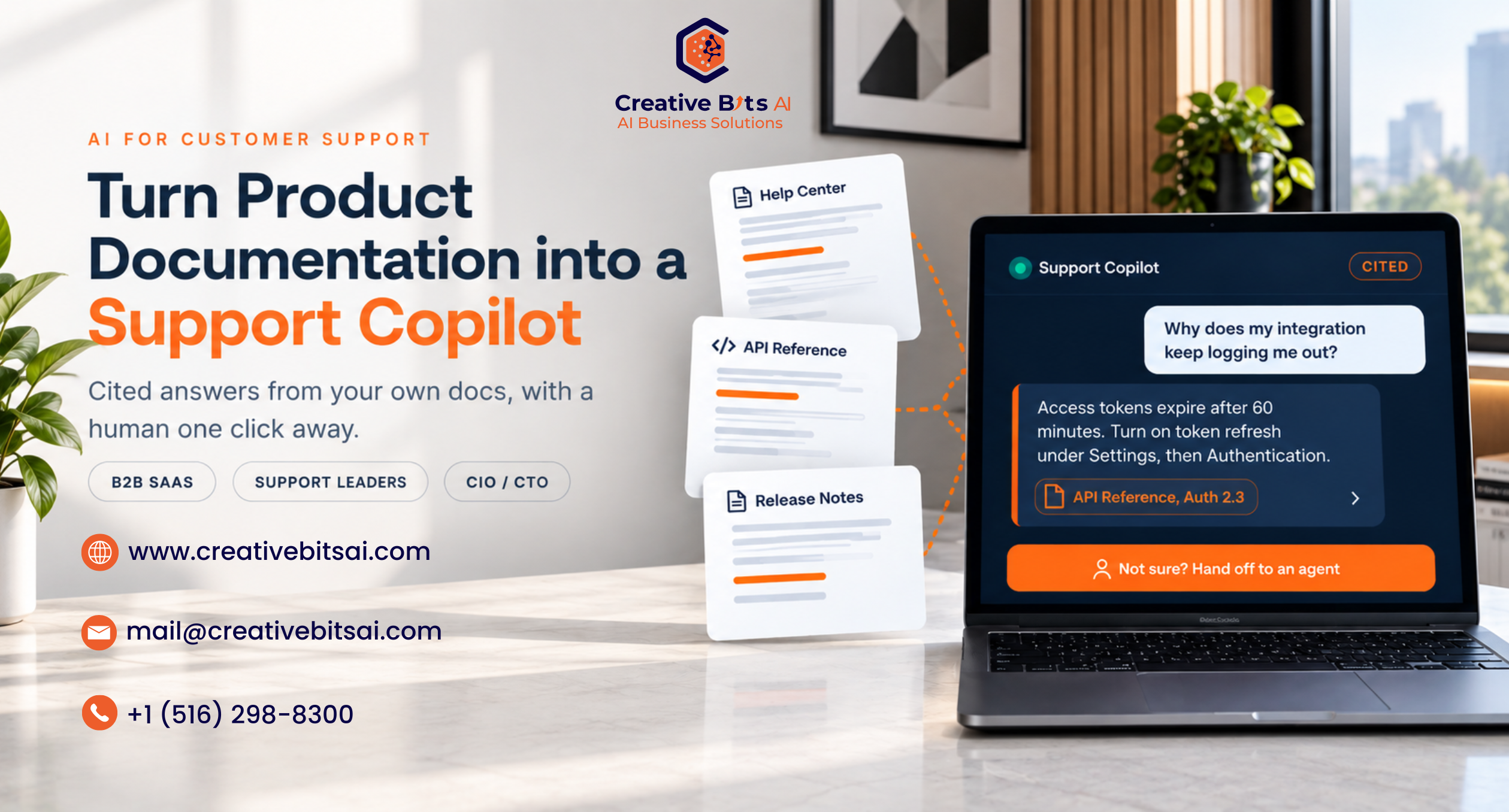
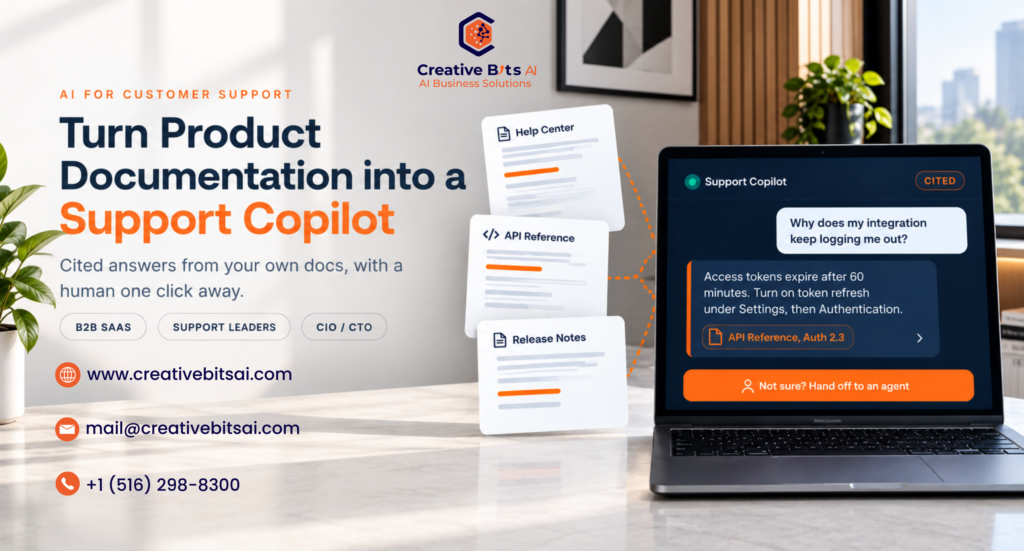
Here is an uncomfortable truth for most B2B SaaS leaders. The answer to the majority of your support tickets already exists. It is sitting in your help center, your API reference, your release notes, and a few hundred resolved tickets. Your customers cannot find it, so your agents spend their day finding it for them.
The numbers back this up. A Gartner survey of nearly 6,000 customers found that only 14% of customer service issues are fully resolved in self-service. In 43% of those failed journeys, customers could not locate content relevant to their issue. The content is not missing. The path to it is.
That gap is exactly what an AI support copilot closes. Done well, it turns your existing product documentation into instant, cited answers for customers and agents, and it hands the conversation to a person the moment the documentation runs out. Done badly, it confidently invents answers in your company’s name. This guide walks through how to build the first kind, and how we approach it in our AI-enhanced customer support work.
Why your documentation is not answering tickets today
Most help centers were built for browsing, not for questions. Search matches keywords, but customers describe symptoms. Nobody types “OAuth token rotation policy.” They type “why does my integration keep logging me out.” Unless those exact words appear on the right page, search returns nothing useful and a new ticket lands in the queue.
The knowledge is also scattered. Setup steps live in the help center, edge cases live in the API docs, the fix for last month’s bug lives in a release note, and the clever workaround lives in a resolved ticket that only one senior agent remembers. Each source is accurate on its own. None of them talk to each other.
So your most experienced people become human search engines, and your support cost grows in a straight line with your customer count.
What an AI support copilot actually is, and what it is not
An AI support copilot is a retrieval-augmented generation (RAG) system built on top of your approved documentation. When a question arrives, it searches your knowledge by meaning rather than by exact words, pulls the few passages that actually answer it, and drafts a response grounded in those passages, with citations that link back to the source article.
Two things it is not. It is not a model retrained on your data, which means you can update an article this afternoon and the copilot reflects it without any retraining. And it is not a replacement for your support team. The best deployments make agents faster and free them to focus on the conversations that genuinely need a person.
It can run in two modes, and the order you roll them out matters:
- Agent assist. The copilot sits beside your agents and drafts cited answers for them to review before sending. Your team stays the final check on every response.
- Customer-facing. The copilot answers customers directly in your help center or inside your product, and escalates whenever it is not confident.
We almost always recommend starting with agent assist. You collect real accuracy data from your own tickets, with a human reviewing every answer, before a single customer talks to the system. Deciding where AI should act and where people should decide is a design choice in itself, one we explore in designing workflows that know when to think and when to act.
Why leadership has to treat this as a trust decision
The moment an AI support copilot talks to customers, it speaks for your company, and that risk is no longer theoretical. In Moffatt v Air Canada, a Canadian tribunal held the airline liable after its website chatbot gave a customer incorrect refund guidance. It rejected the argument that the chatbot was a separate entity. The tribunal found the airline “still bore responsibility for all the information on its website, whether it came from a static page or a chatbot.”
Customers are also more skeptical than most vendor decks suggest. Gartner found that 64% of customers would prefer companies did not use AI for customer service, and the top concern was that AI would make it harder to reach a person. That is not a reason to avoid AI. It is a design brief: answer accurately, show your sources, and make the human handoff obvious. It also belongs inside your wider AI governance, ideally mapped to a recognized AI security framework.
5 steps to turn your documentation into a safeguarded AI support copilot
- Curate an approved knowledge set first
Start with your highest quality primary sources: product documentation, API references, release notes, and verified support macros. Resist the urge to index everything on day one. kapa.ai, which has worked with more than a hundred technical teams on this exact problem, notes that more than 80% of in-house generative AI projects fall short, and dumping an unfiltered knowledge base into the system is a common reason why. Tag every source with an owner, a product version, and an approval status, so the copilot only answers from content someone stands behind.
- Keep the knowledge fresh automatically.
In SaaS, a stale answer is a wrong answer. Your product ships changes every sprint, so the copilot needs a sync pipeline that detects changed articles and updates only those, instead of occasional full reindexing. Version metadata matters as much. A customer on your legacy plan should never receive instructions for a feature that exists only in the new plan.
- Ground every answer and show citations
Instruct the model to answer only from the retrieved passages, and to link each claim back to the article it came from. Citations do two jobs at once. Customers can verify the answer for themselves, and your team can audit any response in seconds when something looks off. An answer without a source is a guess, and guesses do not belong in customer support.
- Escalate instead of guessing.
The single most important behavior in a support copilot is knowing when to stop. If no approved passage clears a relevance threshold, or a citation cannot back the draft, the right move is a handoff, not a best effort. Here is a simplified version of that logic in Python:
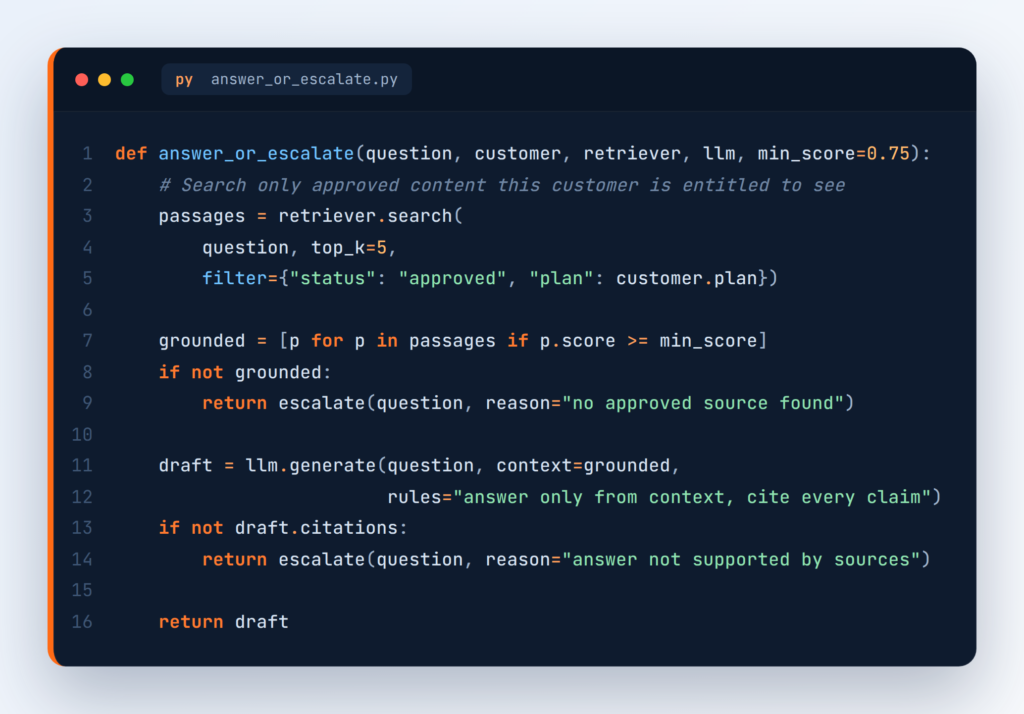
When it does escalate, pass the full conversation and the passages it considered to the agent, so the customer never has to repeat themselves. That’s the kind of seamless hhandoffGartner recommends, where the agent chat picks up exactly where the bot left off.
- Respect access and product boundaries
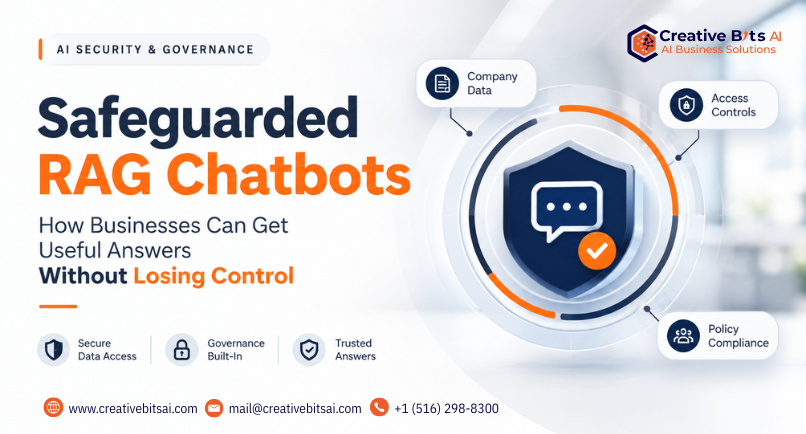
Not every document is meant for every customer. Internal runbooks, roadmap notes, and enterprise-only features must stay out of reach of the wrong audience. Keep public and private knowledge in separate indexes, filter retrieval by the customer’s plan, tenant, and role before any search runs, and never let internal notes leak into a customer-facing answer. If your copilot indexes community forums or customer-uploaded content, treat it as untrusted input, because indirect prompt injection can hide instructions inside a document the copilot later retrieves. We cover the full security architecture in our guide to Safeguarded RAG Chatbots.
The metrics that prove your AI support copilot is working
Deflection on its own is a vanity metric. A ticket that was deflected but never resolved comes back later, with a more frustrated customer attached. Track these instead:
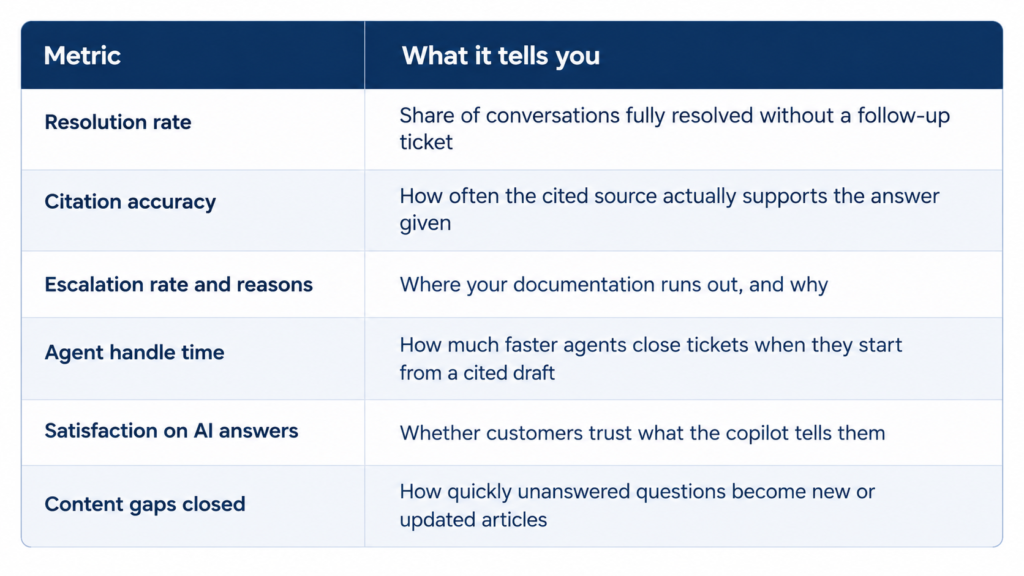
For accuracy, move past gut feel. Open-source evaluation frameworks such as Ragas let you score faithfulness and answer relevance against a test set built from your own real tickets, so you can measure every copilot change before it ships.
Your escalations are a documentation roadmap.
Here is the part most teams miss. Every question your AI support copilot cannot answer is a signal. Group those escalations by topic each week and you get a ranked list of exactly what your documentation is missing, written in your customer’s own words. Hand those lists to your technical writers, and the copilot gets better every month, not because the model changed, but because your knowledge did.
Common mistakes to avoid
- Launching customer-facing first. Prove accuracy with agent assist before customers see a single answer.
- Indexing everything. Old Slack threads and outdated articles poison answers faster than missing content does.
- Hiding the human. If customers cannot find the handoff,f they will not trust the copilot, no matter how accurate it is.
- Measuring deflection only. Resolution and satisfaction tell you whether customers were actually helped.
- Treating it as a one-time project. Your product changes every week, and your copilot’s knowledge has to keep pace.
The bottom line
Your documentation is already one of your most valuable support assets. An AI support copilot makes it answerable, turning scattered articles into cited answers for customers and better first drafts for your agents, while keeping a person one click away whenever the docs run out.
The SaaS companies that get this right will not win because they automated support. They will win because they made their knowledge findable, trustworthy, and continuously improving.
At Creative Bits AI, we build safeguarded support copilots that answer only from your approved documentation, cite every response, and escalate to your team when reliable information isn’t available. We can configure them for your existing help desk and knowledge sources, including AWS-based deployments on Amazon Bedrock, subject to a short technical discovery. Book a consultation, and we will map what your documentation could be answering today.