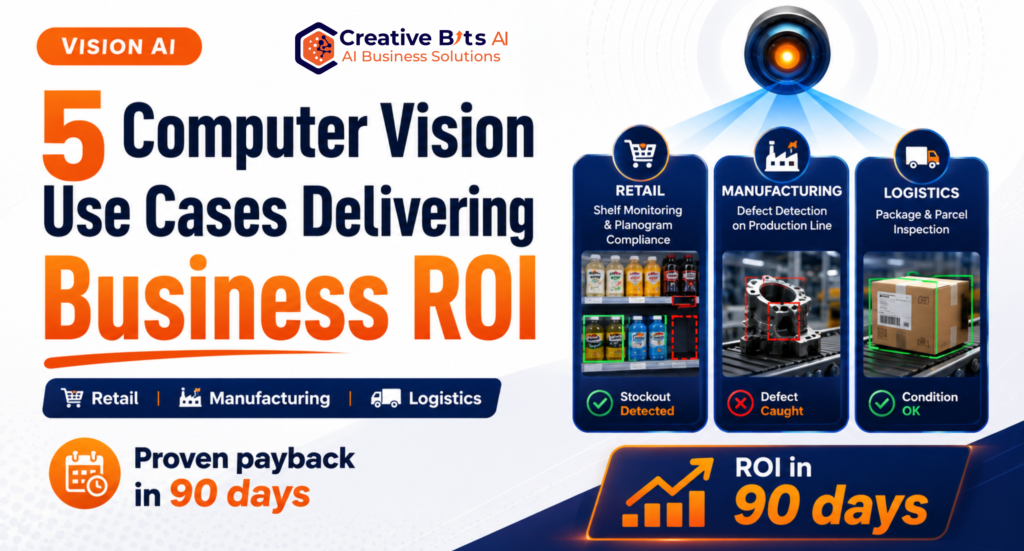
The most successful computer vision use cases share a trait that surprises most executives: they don’t take years to prove themselves. While enterprise AI projects have earned a reputation for long timelines and fuzzy returns, a specific class of vision applications consistently delivers measurable payback within a single quarter. The pattern behind them is simple: they replace a repetitive visual task that humans currently do slowly, inconsistently, or not at all, in a setting where every miss has a direct cost. Pick one of these proven computer vision use cases, scope it tightly, and 90 days is enough to see the returns on your own P&L.
In this article, we’ll walk through the five use cases with the fastest, most reliable payback, with the economics behind each, and the rollout approach that gets you to ROI inside a quarter.
Why These Five Computer Vision Use Cases Pay Off Fast
Before the list, it’s worth understanding what makes a vision project “90-day viable.” Three conditions matter:
A high-frequency visual task. The AI needs volume to generate savings: hundreds or thousands of inspections, scans, or checks per day. Frequency is what compounds small per-event savings into a fast payback.
A clear cost per miss. Defects that ship, stockouts that lose sales, damaged parcels that trigger claims. When each miss has a known price, ROI math is straightforward and credible to your CFO.
Mature, deployable technology. All five use cases below run on well-established detection and classification models, not research projects. Gartner’s analysis of AI adoption consistently shows that vision applications with narrow, well-defined scope reach production faster than any other AI category.
With that lens, here are the five.
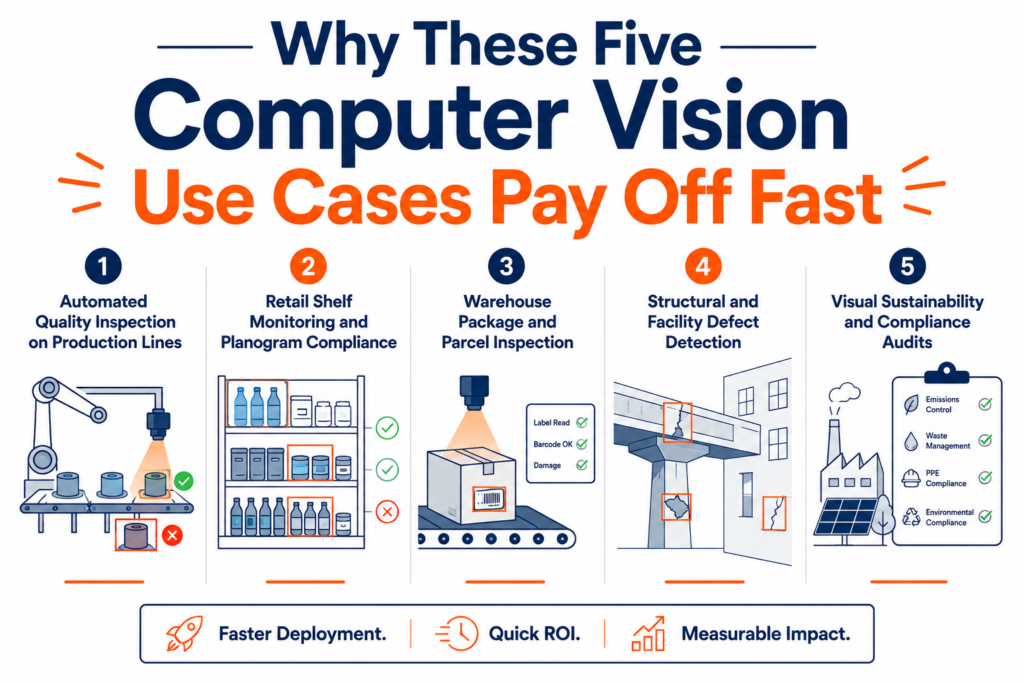
1. Automated Quality Inspection on Production Lines
The flagship among computer vision use cases, and the fastest payback we see in practice. Cameras positioned over a production line inspect 100% of units in real time, catching surface defects, missing components, misaligned labels, and assembly errors that human inspectors routinely miss. Under production conditions, people catch only 70% to 80% of defects.
Why 90 days is enough: One line, one high-value defect type, one camera station. A focused deployment redirects inspection labor, reduces scrap by catching flaws at the station where they occur, and reduces the number of escaped defects that become warranty claims. We covered the full economics in our guide to computer vision quality control, where a typical mid-size deployment pays back in under six months, and a tightly scoped single-line pilot proves the numbers well inside a quarter.
The 90-day marker: scrap and rework reduction on the pilot line, measured against the prior quarter’s baseline.
2. Retail Shelf Monitoring and Planogram Compliance
Empty shelves quietly drain retail revenue. Studies from Harvard Business Review and retail research firms consistently estimate that out-of-stocks cost retailers roughly 4% of annual sales, and shoppers who hit a stock-out often buy elsewhere or not at all. Yet most stores still discover gaps through manual walk-throughs that occur at best a few times a day.
Computer vision changes the cadence. Fixed cameras or periodic staff photos are automatically analyzed to flag empty facings, misplaced products, and planogram violations within minutes rather than hours.
Why 90 days is enough: the revenue recovery is immediate. Every stock out caught hours earlier is a sale that would otherwise have been lost, and compliance data sharpens ordering and merchandising decisions week by week. It is the same shelf-level intelligence that feeds accurate e-commerce product content.
The 90-day marker: measured reduction in out-of-stock hours per SKU across pilot stores.
3. Warehouse Package and Parcel Inspection
Logistics operations handle enormous parcel volumes, and every damaged box that ships becomes a claim, a return, or a lost customer. Manual spot checks catch only a fraction. Vision systems mounted over conveyor lines photograph every parcel, detecting crushed corners, tears, water damage, and label problems at line speed and, critically, documenting condition with timestamped images that settle liability disputes between carrier and shipper.
Why 90 days is enough: claims and disputes are a direct, tracked expense. When condition-at-handoff is documented automatically for every parcel, wrongful claims drop fast, and damage patterns (a specific chute, a specific shift) surface within weeks so the root cause gets fixed.
The 90-day marker: claims cost and dispute resolution time versus the prior quarter.
4. Structural and Facility Defect Detection
Property managers, construction firms, and facility operators spend heavily on periodic manual inspections, including scaffolding, rope access, and site visits, and still miss the early-stage cracking and corrosion that precede expensive failures. Drone or handheld imagery analyzed by AI automatically identifies and categorizes structural defects, turning a slow expert-led process into continuous monitoring, as we detailed in our article on AI structural defect detection.
Why 90 days is enough: savings come from avoided emergency repairs and cheaper inspection cycles. A single drone flight plus AI analysis replaces days of manual survey work, and catching one progressing defect early, before it becomes an emergency closure, typically covers the pilot cost on its own.
The 90-day marker: inspection cost per structure and the count of early-stage defects caught that manual cycles would have missed.
5. Visual Sustainability and Compliance Audits
The newest of the five, and rising fast as ESG reporting requirements expand. AI analyzes images of facilities, shelves, and product ranges to evaluate energy efficiency, packaging recyclability, and environmental impact, compressing an audit process that traditionally takes weeks into a same-day report, as we explored in our piece on AI sustainability assessment.
Why 90 days is enough: the baseline audit itself is the deliverable. Organizations that needed weeks of consultant time per site can now assess an entire portfolio within the pilot window, generating the documentation that compliance teams and certification bodies require, at a fraction of the cost of expert site visits.
The 90-day marker: audit cost per site and number of sites assessed versus the manual baseline.
The 90-Day Rollout Playbook
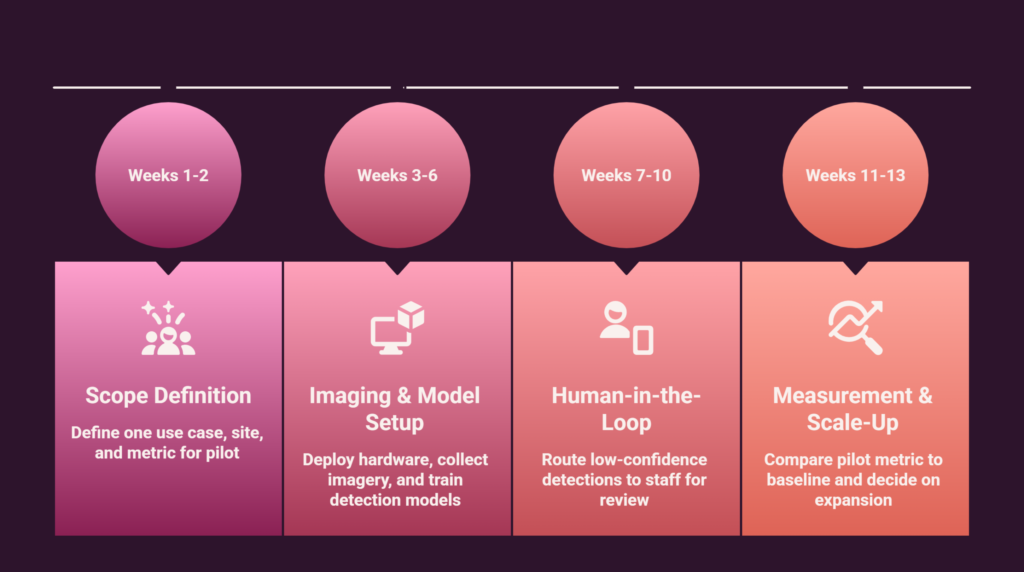
Across all five computer vision use cases, the deployments that hit ROI inside a quarter follow the same playbook:
Weeks 1 to 2: Scope one use case, one site, one metric. The single biggest predictor of fast payback is narrow scope. One production line, one store cluster, one warehouse lane. Define the baseline metric now, because you can’t prove a 90-day return without a starting number.
Weeks 3 to 6: Get the imaging right, then the model. Camera placement, lighting, and resolution determine most of the system’s performance. Deploy hardware, collect initial imagery, and train or configure detection models against your real conditions, not stock datasets.
Weeks 7 to 10: Run with humans in the loop. Route low-confidence detections to staff for review. This keeps accuracy high from day one and generates labeled data that improves the model weekly. It is the same human-in-the-loop pattern we apply across our AI project management and procurement deployments.
Weeks 11 to 13: Measure against baseline and decide scale-up. Compare the pilot metric to the pre-deployment baseline. If the economics hold, and with these five use cases they consistently do, the scale-up case writes itself. Research from McKinsey on AI in operations shows that piloted-then-scaled vision deployments outperform big-bang rollouts on both speed and total return.
An experienced AI implementation partner can further compress this timeline, because the imaging setups, model choices, and integration patterns are already proven.
The Bottom Line
Computer vision has quietly become the most bankable category in applied AI, but only when the use case is chosen well. The five above share the traits that make 90-day payback realistic: high-frequency visual tasks, a clear cost per miss, and mature technology that deploys in weeks rather than quarters. Quality inspection, shelf monitoring, parcel inspection, structural defect detection, and sustainability audits aren’t speculative applications. They’re proven computer vision use cases with economics you can measure on your own operations within a single quarter.
The question isn’t whether computer vision works. It’s which of these five fits your operation best, and how quickly you can get a scoped pilot running.
At Creative Bits AI, we design and deploy computer vision systems across manufacturing, retail, logistics, and infrastructure, from feasibility assessment through pilot to full rollout. Request a free demo, and we’ll help you identify which computer vision use case will pay off fastest in your business.
Frequently Asked Questions About Computer Vision
1. What is computer vision, in simple terms? Computer vision is a field of artificial intelligence that trains computers to see and understand images and video the way humans do. A computer vision system takes visual input from cameras, identifies what it contains, such as objects, defects, text, or people, and turns that understanding into decisions or data a business can act on.
2. How does computer vision work? Computer vision works in three stages. A camera or sensor captures images, deep learning models trained on thousands of labeled examples analyze each image to detect and classify what it contains, and the system outputs a result such as pass or fail, an alert, or a report. Modern systems do this in milliseconds, which allows real-time use on production lines and in stores.
3. Is computer vision the same as AI? Computer vision is a branch of AI, not a separate technology. AI is the broad field of machines performing tasks that normally require human intelligence, while computer vision is the specific part of AI focused on interpreting visual information. Most business vision systems combine computer vision models with other AI components such as large language models for reporting.
4. What is the difference between computer vision and machine vision? Machine vision is the older, industrial subset of the field, typically rule-based cameras inspecting products against fixed criteria on factory lines. Computer vision is broader and learns from examples, which lets it handle natural variation in products, lighting, and environments that rule-based machine vision systems struggle with, and it extends beyond factories into retail, logistics, and infrastructure.
5. What are the most common computer vision use cases in business? The most proven computer vision use cases are automated quality inspection in manufacturing, shelf monitoring and planogram compliance in retail, parcel and package inspection in logistics, structural defect detection in construction and property management, and visual sustainability audits. These five share high task frequency, a clear cost per miss, and mature technology, which is why they reliably pay back within 90 days.
6. Which industries use computer vision the most? Manufacturing leads adoption, using vision for quality control and assembly verification. Retail and e-commerce follow with shelf monitoring and product content. Logistics uses it for parcel inspection and sorting, healthcare for medical imaging, agriculture for crop and livestock monitoring, and construction and real estate for structural inspection and site safety.
7. How much does a computer vision system cost? A tightly scoped pilot, meaning one use case at one site, typically ranges from tens of thousands of dollars up to a few hundred thousand for complex multi-line deployments, covering cameras, lighting, compute, model development, and integration. Costs have fallen sharply as hardware and open-source frameworks matured, which is why payback periods of a single quarter are now realistic.
8. How accurate is computer vision compared to human inspection? Well-implemented vision systems routinely match or exceed human accuracy on narrow visual tasks. Human inspectors catch roughly 70% to 80% of defects under production conditions, and accuracy drops with fatigue. Vision systems inspect 100% of units with consistent criteria and no fatigue, and accuracy above 95% is common once the model is trained on real production imagery.
9. What data do you need to build a computer vision solution? You need representative images of the conditions the system will face: examples of both good and defective products, different lighting, angles, and variations. A focused use case can often start with a few hundred to a few thousand labeled images, and human-in-the-loop review during the pilot continuously generates new labeled data that improves accuracy week by week.
10. How long does it take to implement computer vision? A well-scoped deployment takes about 90 days from decision to proven ROI. The typical timeline is two weeks for scoping and baseline metrics, four weeks for camera setup and model configuration, four weeks running with human review, and a final fortnight measuring results against the baseline. Broad, unscoped projects take far longer, which is why narrow scope is the single biggest predictor of success.